
Follow Ups
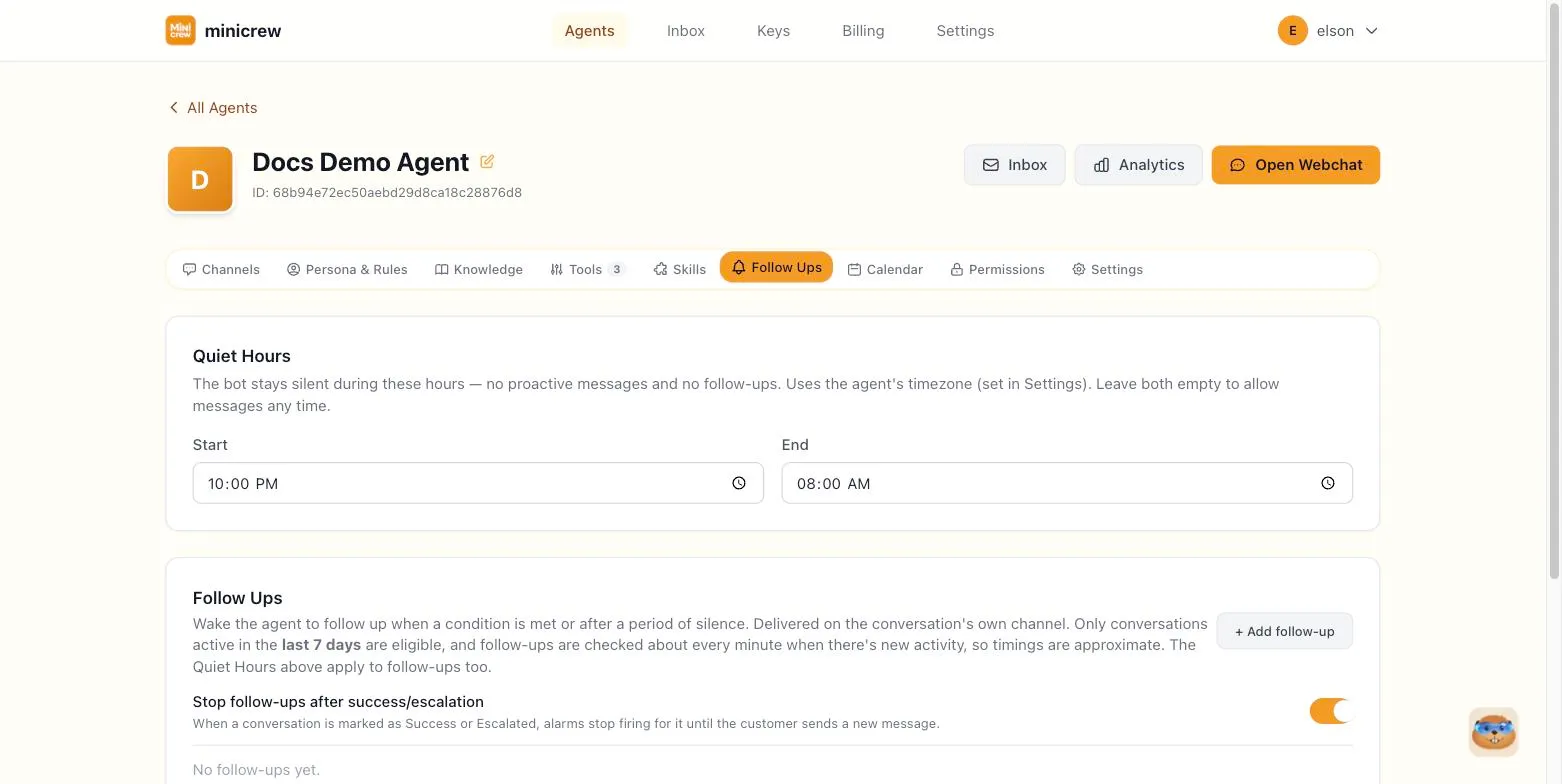
The Follow Ups tab (internally called “alarms”) lets your agent wake itself up and send a follow-up message on its own, either after a period of silence or once a described condition becomes true.
Follow-ups are delivered on the conversation’s own channel, only apply to conversations active in the last 7 days, and are checked roughly once a minute when there’s new activity, so timing is approximate rather than exact.
Quiet Hours
Section titled “Quiet Hours”Set a Start and End time (in the agent’s timezone, from the Settings tab) during which the agent stays completely silent — no follow-ups fire during this window. Leave both empty to allow messages at any time.
Creating a follow-up
Section titled “Creating a follow-up”Click + Add follow-up and fill in, reading top to bottom like a sentence:
When — choose the trigger:
- the conversation goes quiet — for a set number of minutes or hours.
- a condition is met — describe the condition in plain language (e.g. “customer asked about pricing twice but never got a quote”). The agent re-checks the last few turns of the conversation, you set how many, roughly once a minute after any new message.
Send — choose how the message is produced:
- a fixed message — write the exact text to send (you can reference details like
{name}). - a message the agent writes — instead give the agent a goal/instruction, and it writes something natural in the moment.
Repeat — choose whether the follow-up fires once, or on a cooldown (every N minutes/hours/days) for as long as the conversation stays active and idle.
Each follow-up also has its own enabled toggle and a name, so you can build several and turn individual ones on or off without deleting them.
Business follow-up vs. personal nudge
Section titled “Business follow-up vs. personal nudge”A sales or booking agent uses this to chase a stalled deal: “customer asked about pricing but never confirmed” fires a nudge instead of letting the lead go cold, and Stop-after-outcome keeps it from pestering someone who already booked. A personal assistant tends to use the “quiet for N minutes” trigger instead, more like a reminder than a sales nudge: “haven’t heard back on this task in an hour, check in.” Team-internal agents often skip follow-ups entirely, since there’s no lead to lose if a coworker takes a while to reply.
Stopping follow-ups after an outcome
Section titled “Stopping follow-ups after an outcome”The Stop follow-ups after success/escalation toggle, when on, stops follow-ups from firing on a conversation once it’s been marked Success or Escalated (see Persona & Rules for how those conditions are defined), until the customer sends a new message. It’s on by default.